
Find the links
- Open Settings → Legal Pages.
- Locate Privacy Policy URL.
- Select Open to inspect the policy, then use Copy to copy its URL.
- Locate Terms of Service URL and select Open if the page is enabled.
- Copy the displayed terms URL for your approved destination.
The policy card has a dedicated Copy control. The terms card displays its URL and an Open control when Terms of Service is enabled.
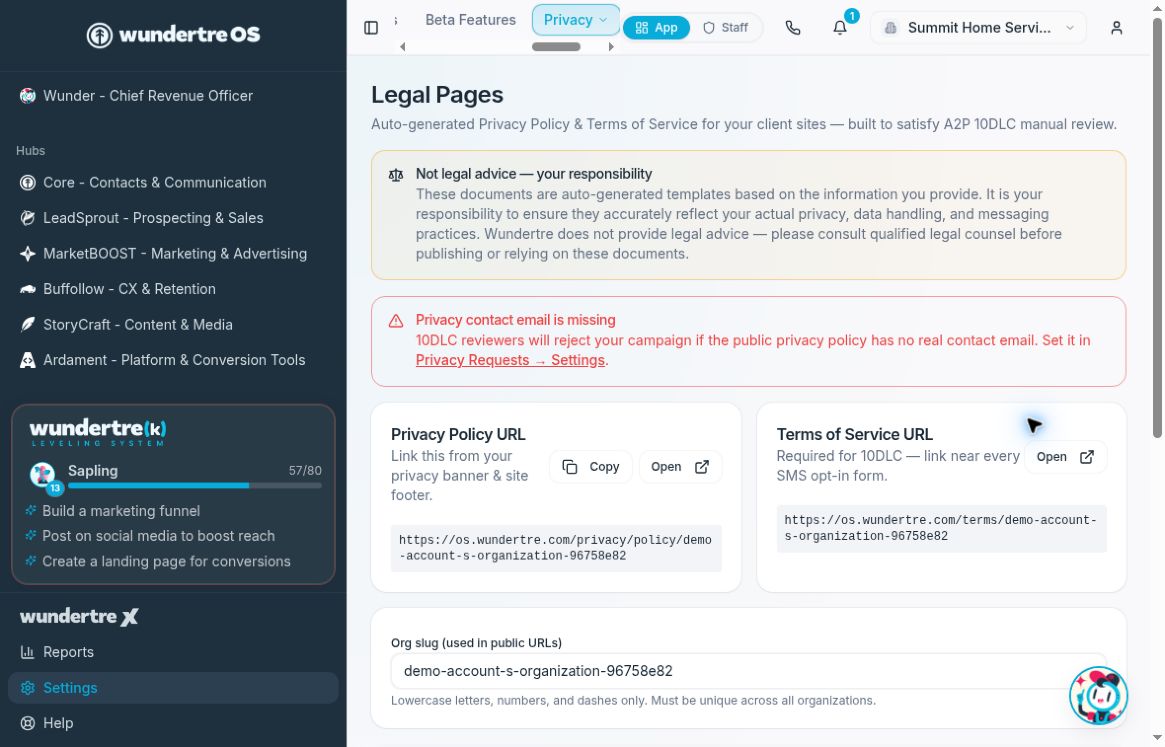
Use the URL cards to open your pages and copy the appropriate link.
Check before sharing
Verify the business identity, contact information, and intended policy or terms content. Address any missing-contact warning before sharing. In the example, a warning says the privacy contact email is missing. Then use the approved URLs in the relevant site footer, privacy banner, or consent area. Review the destination after updating it to make sure the links open the correct pages.
Copying a URL does not add it to a website or send it to anyone. Complete those separate updates only in the destinations your organization has approved.
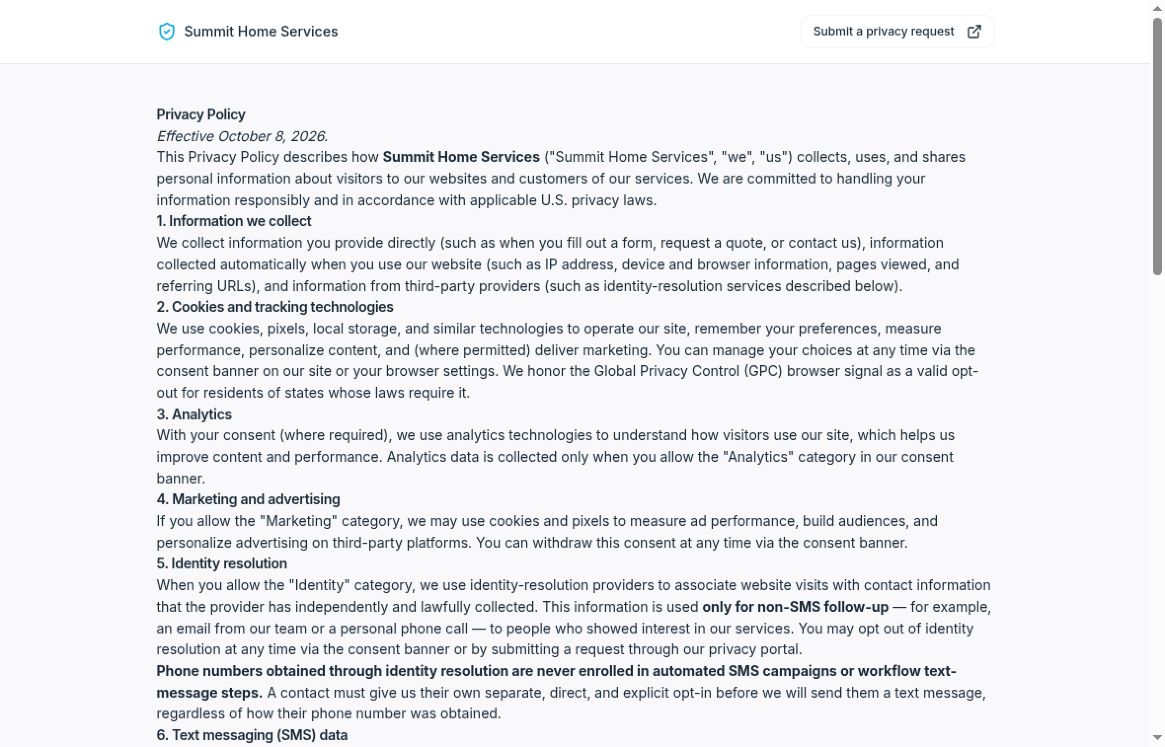
Check the organization name and policy content on the opened page.
If a link is missing
Public links depend on the organization’s slug. If no slug is set, the page prompts you to set one. The slug is shared across public URLs, so coordinate it with the person responsible for those pages.
Changing Org slug saves when you leave the field and can break links that have already been shared. It is not necessary to change a working slug just to copy a link.
If Terms of Service is disabled, the terms card says so. Review that decision with the person responsible for your legal pages rather than enabling publication solely to obtain a link.
To change page content, follow “Configure policy, terms and consent templates.”