
Before you start
Confirm the organization, its actual business details, and the wording approved for public use. These templates and controls do not establish legal compliance by themselves. Have the appropriate person review your organization’s requirements and final text.
Most text fields save when you leave the field. Switches save immediately. There is no final Save button that keeps all edits private until you are finished.
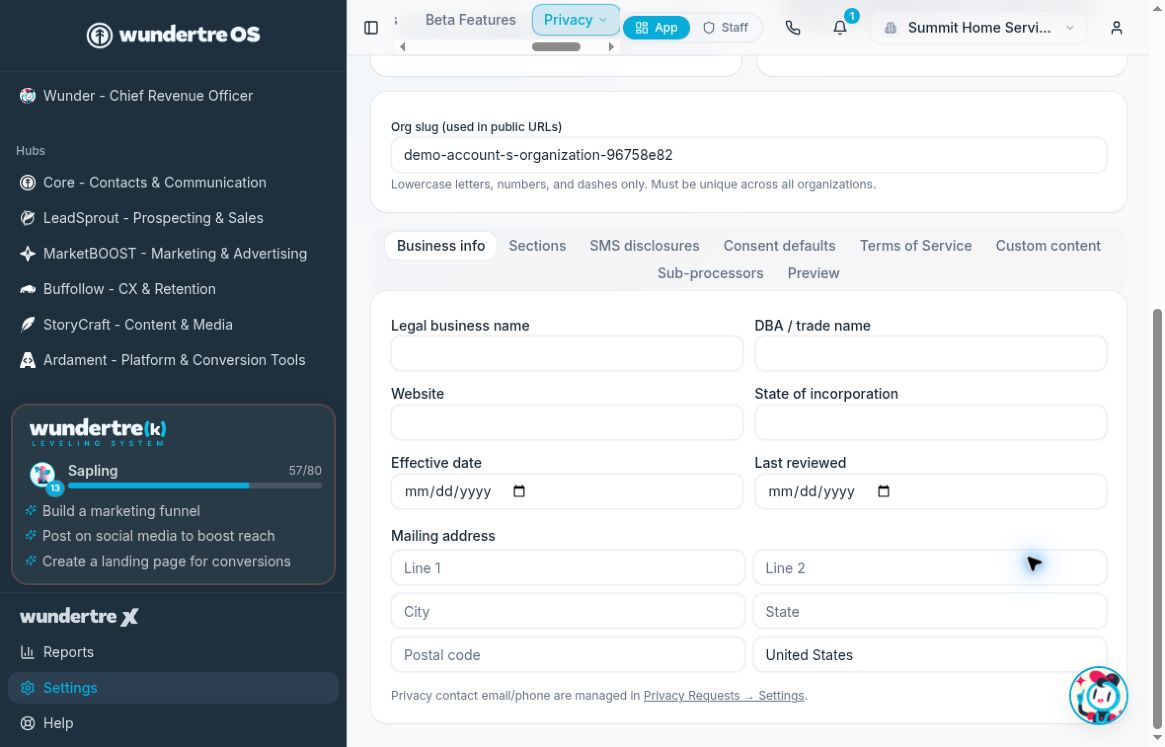
Review the business identity and address before updating legal content.
Review the configuration tabs
- Open Settings → Legal Pages.
- In Business info, review the legal business name, trade name, website, incorporation state, dates, and mailing address. Privacy contact email and phone are managed in Privacy Requests → Settings.
- In Sections, choose only the approved sections that describe your practices, such as cookies, analytics, marketing, identity resolution, service providers, and privacy rights.
- In SMS disclosures, review the SMS program name, frequency disclosure, and HELP contact.
- In Consent defaults, review marketing SMS, transactional SMS, and email-marketing text separately. Individual forms or tools may override these defaults. Also review the legal-page links and email double-opt-in controls with the person responsible for your consent process.
- In Terms of Service, review publication status, optional billing terms, governing-law state, dates, and custom text. The publication switch takes effect immediately.
- In Custom content, review the policy intro and footer. Custom intro text replaces the default intro; custom footer text is appended.
- In Sub-processors, inspect the centrally managed list. Contact support about needed changes.
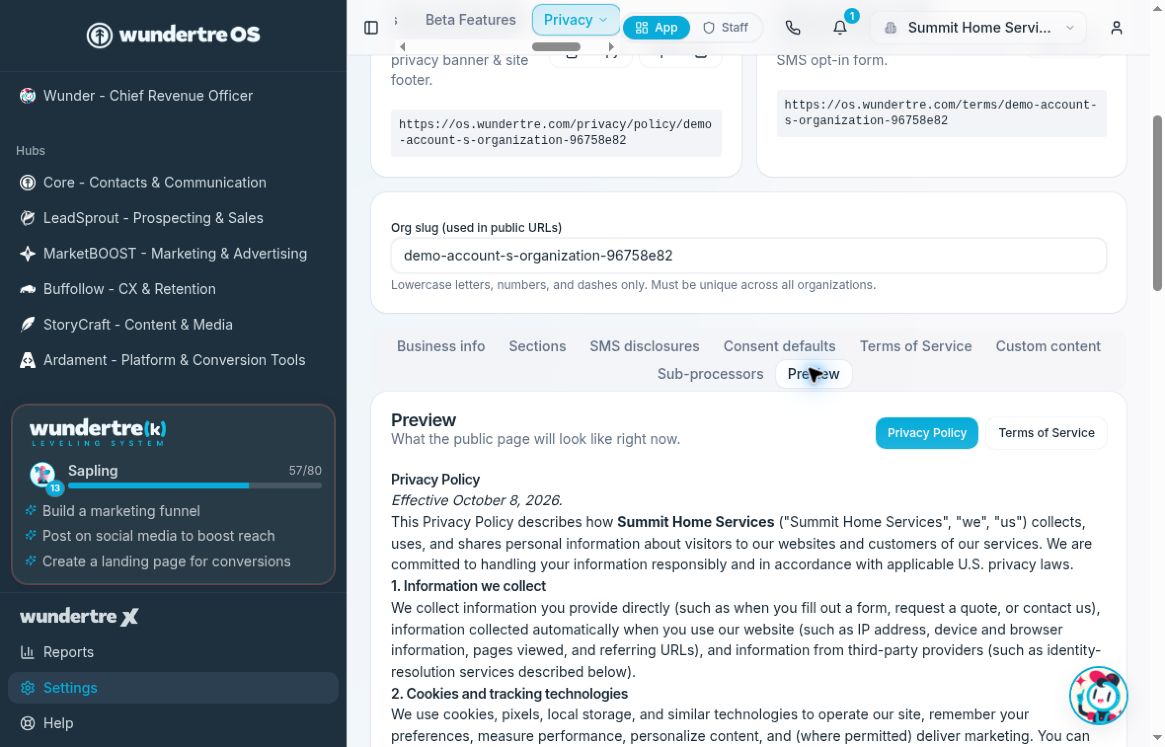
Use Preview to inspect the generated text.
Verify the public result
Open Preview and switch between Privacy Policy and Terms of Service. Then use the public-page Open controls to inspect the actual published pages. Review each authorized edit after it saves, and check again after refreshing.
Prepare proposed wording separately for review before entering it in these autosaving fields.