
Review the consequences first
Open Settings → Data Retention and review every affected data category. In particular, call-history retention can remove call logs and permanently remove audio from Twilio, and inactive-contact retention is described as anonymizing personal-information fields.
Use “Set retention windows and preview a purge” first. Verify the saved policy, run a dry-run preview, and review its counts and errors. Confirm that the organization has approved the actual affected scope and has addressed any preservation requirements before considering live deletion.
Understand automatic retention
Enable nightly automatic purge controls the scheduled process. The interface lists its schedule as 03:00 UTC daily. Dry-run mode determines whether the saved policy is limited to counting rather than deleting rows.
Changing these controls edits the form until Save settings is selected. Saving nightly automatic purge on with Dry-run mode off can activate scheduled irreversible deletion. Stop before that Save unless the live policy and affected scope have been approved.
Keeping Dry-run mode on is the safer way to review counts while a retention policy is being evaluated. Check the saved state after refreshing; an unsaved switch position is not proof of the active policy.
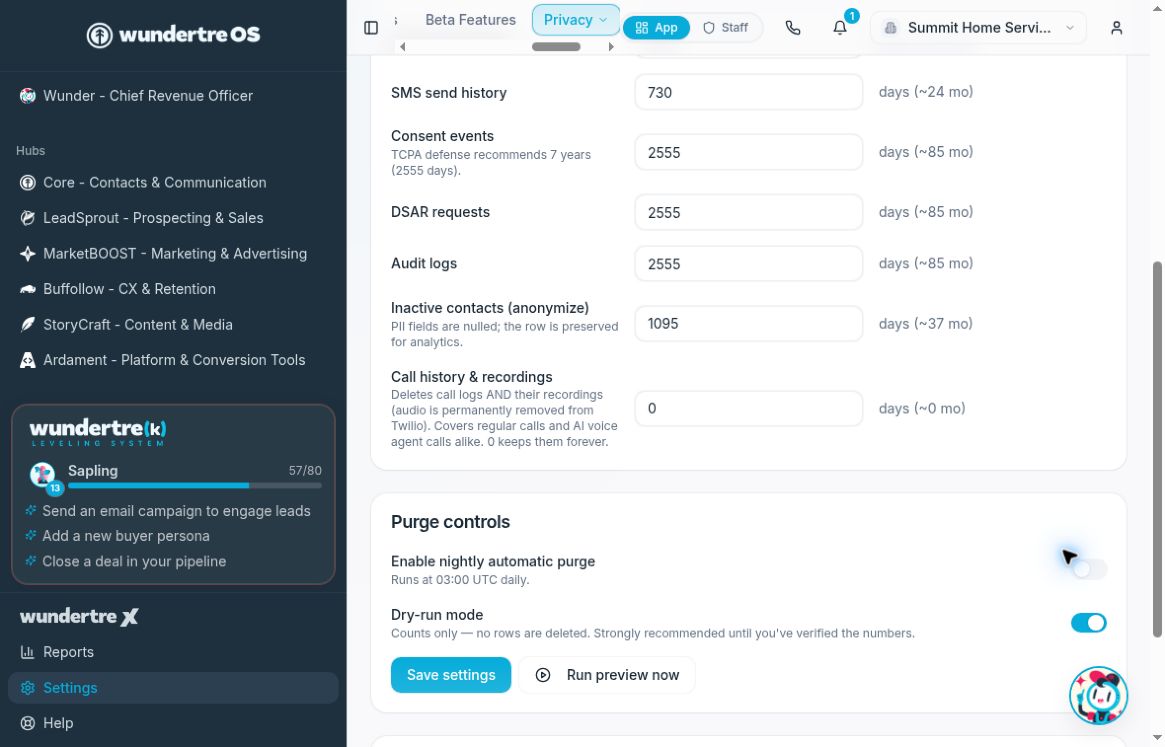
Review the controls and saved policy before considering live deletion.
Understand a manual real purge
Run purge now is displayed when the form shows nightly automatic purge on and Dry-run mode off. Selecting it opens a Delete confirmation warning that the action permanently deletes data under the retention windows.
Stop before confirming Delete until the exact operation and scope have been approved. The button’s availability does not establish that the underlying saved policy is correct. Do not proceed using unsaved retention edits.
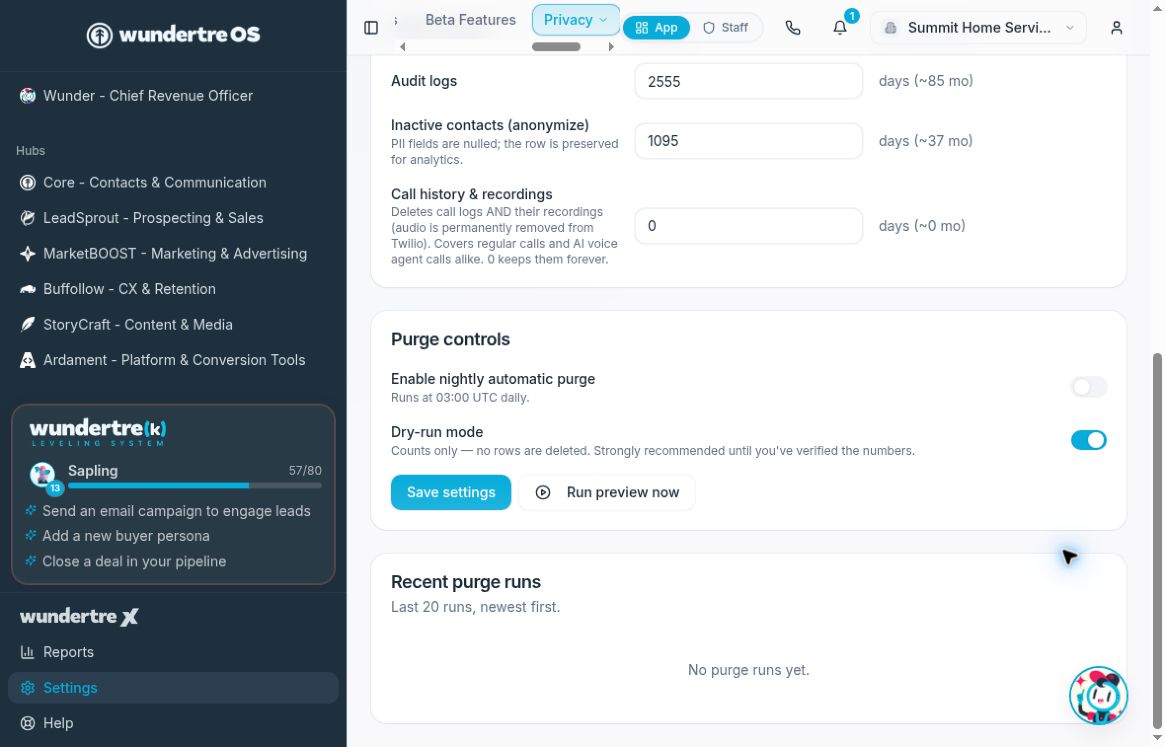
The example shows no purge runs. Check actual run mode, counts, and errors after an authorized operation.
Verify only what actually happened
After an independently authorized operation, inspect Recent purge runs for the relevant time, Live or Dry run mode, counts, and errors. A success toast alone does not establish that every intended category completed successfully.
A Dry run entry records a preview rather than completed deletion. Review the run mode and errors before drawing conclusions about the result.