
What to expect
Beta features are still being tested. They may change or be removed as they are refined. Turning on beta access does not guarantee that a particular feature is available to your organization.
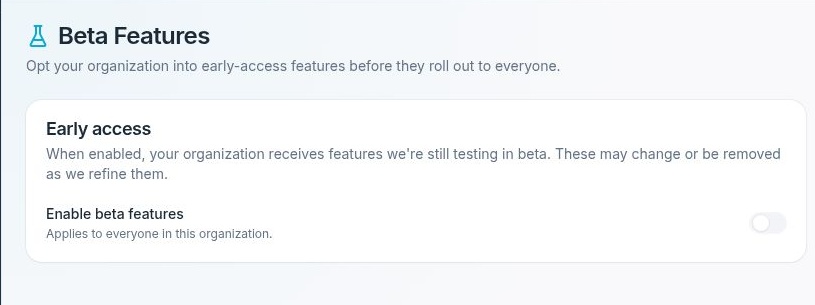
Enable beta features controls early access for the entire organization.
Turn beta access on or off
- Select the organization you want to manage.
- Open Settings → Beta Features.
- Review the Early access card and the current Enable beta features state.
- If you are an organization owner or admin and the change is approved, use the switch to turn beta access on or off.
- Wait for the update to finish.
- Refresh the page and confirm the switch reflects your intended setting.
The switch saves immediately. There is no separate Save button or unsaved-preview stage.
If the switch is unavailable
Only an organization owner or admin can change beta access. The switch is also unavailable while an update is in progress. If an error appears, check the current state before trying again rather than assuming the change succeeded.
Review a temporary change
If your team plans a temporary beta trial, record the original setting and agree on who will review the results. When the trial ends, review whether to keep beta access enabled. If you turn it off, refresh the page to verify the new state.