
Before you begin
Sign in to WundertreOS and confirm the organization where you want to work. Agree on the website’s consent approach with the person responsible for privacy and tag configuration. Have the approved policy links and privacy contact ready. These settings do not by themselves establish legal compliance.
1 Choose the consent source
Open the pixel’s Privacy banner tab and expand its settings. Under Consent source, choose the source actually used by the site: Wunder banner (default), Auto-detect my site’s consent tool, Google Consent Mode, or I manage consent myself (JS API). These changes save directly.
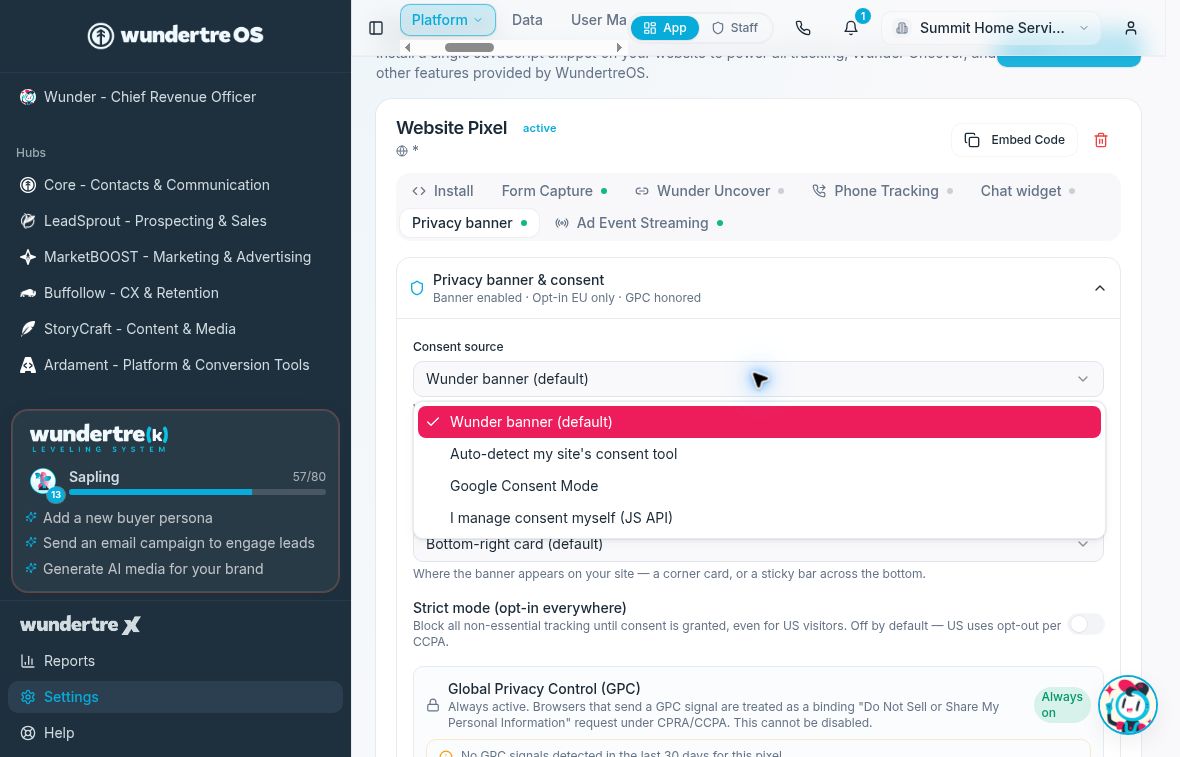
Choose the source that actually controls consent on your website.
2 Understand the chosen mode
The Wunder option supplies its own banner. Auto-detect defers to detected Google Consent Mode and otherwise falls back to the Wunder banner. Google Consent Mode and the custom JavaScript option rely on the site’s configured consent signals. In an external-consent setup, do not treat a missing Wunder banner as evidence that consent is unnecessary.
3 Review presentation and privacy details
For a Wunder-banner setup, review Show privacy banner, Banner placement, and Strict mode (opt-in everywhere). Review Privacy policy URL, Cookie policy URL, DSAR contact email, and Banner accent color. Keep approved safeguards in place. Global Privacy Control (GPC) is always on and cannot be disabled in this panel. Text fields save on each keystroke; do not type temporary values into a live pixel.
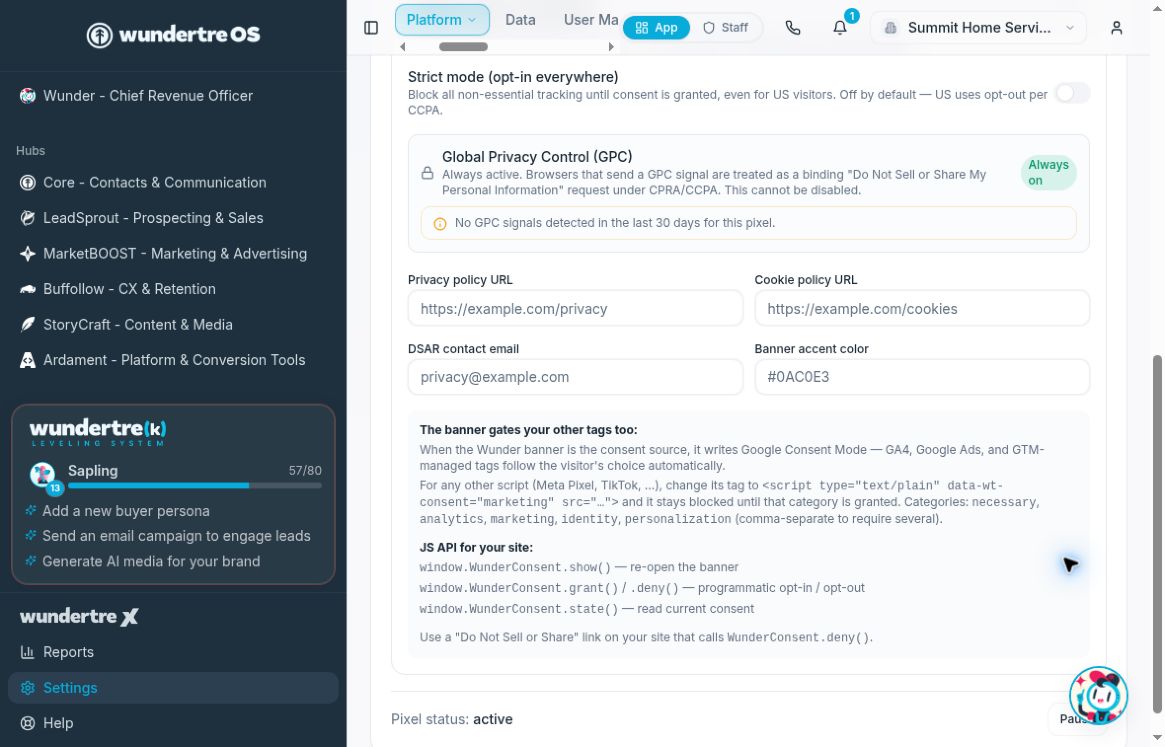
GPC is always on. Review approved policy links and contact details before editing.
4 Check consent behavior
Use an approved test site to check a new visitor, acceptance, refusal, and withdrawal. Where an external tool is the source, verify that it sends the intended choices and handles relevant privacy signals. Do not bypass consent to make tracking appear in a test.
5 Confirm the full installation
Review all tracking tags on the site, including tags installed outside this pixel. A banner’s presence alone does not prove those tags follow it. Have the site administrator verify the complete configuration before relying on it.
What to check
Confirm the visitor sees the intended controls and that the chosen consent source governs the intended features. Verify external-tool behavior separately; do not infer a compliance result from a toggle.
Example planning checklist
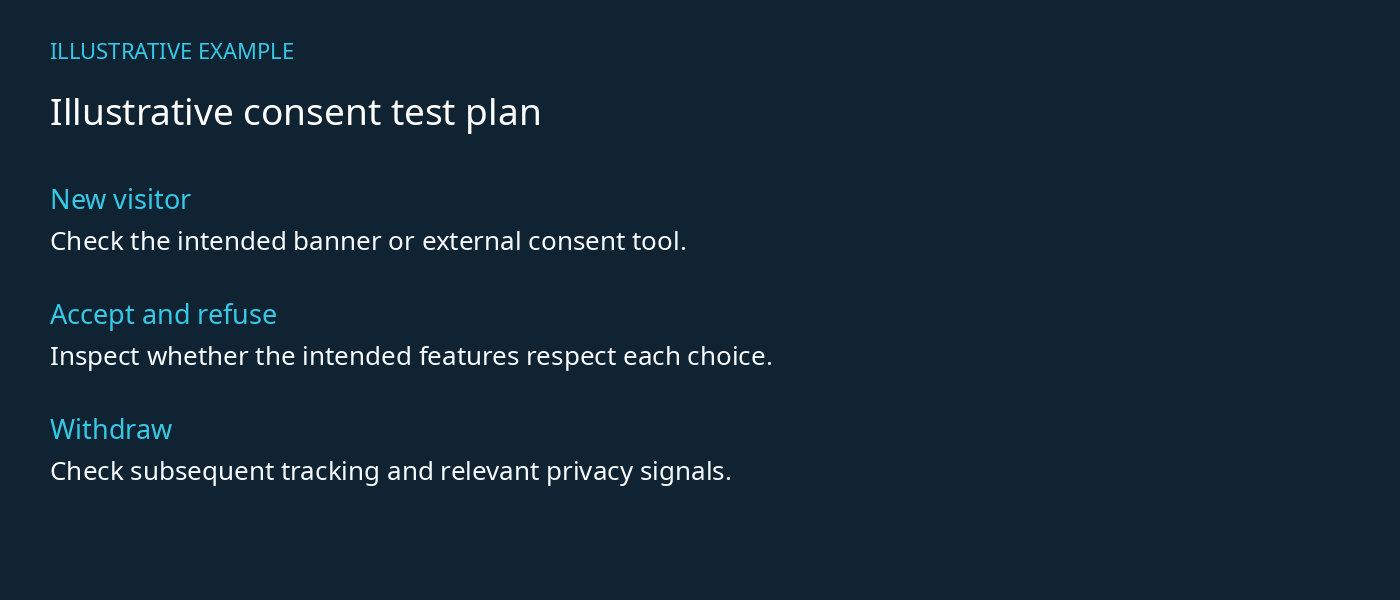
A test plan is not evidence that consent behavior has passed.