
1 Find the contacts you need
Open Core → Contacts and stay on the Contacts tab. Enter a name, email address, company, or phone number in Search contacts.... Narrow the results using the available status, assignee, capture point, source, and last-activity filters.
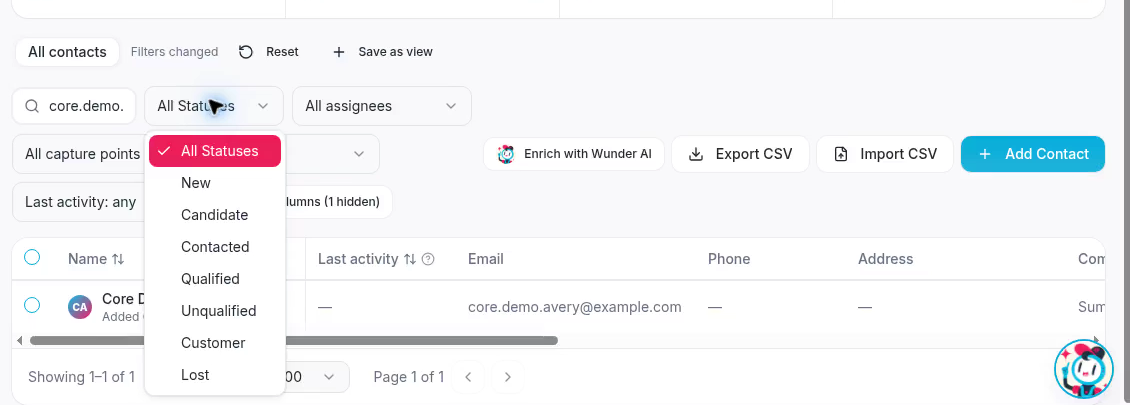
Search and status filters work together to narrow the contact list.
If no results appear, clear the search or relax a filter. The default list hides suspected robocalls. If a notice says contacts are hidden, Show them displays those contacts; Back to all contacts restores the normal list.
2 Choose the order
Select a sortable column heading to change the order. Select it again to reverse the order. Use Rows per page and the page controls to move through results. Set the search, filters, and sort order you want before saving the view.
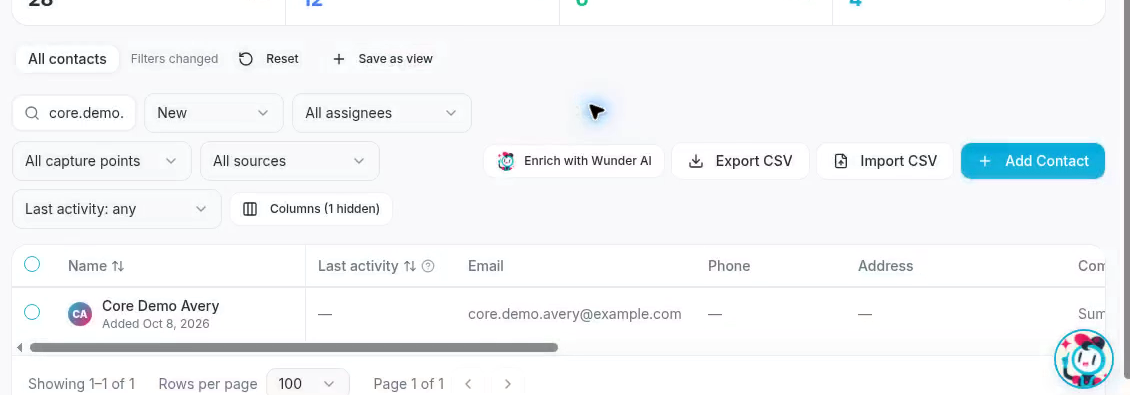
The Name heading can change the contact sort order.
3 Save the current view
Select Save as view. In Save this view, enter a short, descriptive Name. Check that the filters are the ones you intend to share, then select Save view.
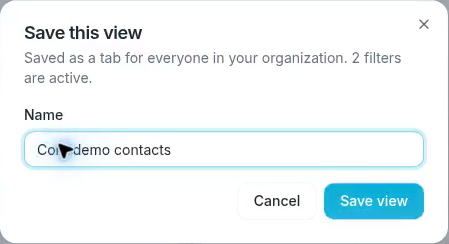
The dialog explains that the view will be available to everyone in your organization.
After saving, the view appears as a tab for your organization. It stores search, filters, and sort order, rather than a fixed set of records. Its results reflect the contacts that currently match.
Existing custom fields can narrow a view when those filter controls are available. Creating a custom field is a separate Settings task.
Change a saved view
Select its tab and adjust the filters. Filters changed indicates that the current selection differs from the saved settings. Select Save to “[view name]” to replace its settings if you have permission, or Save as view to keep the original and create another view.
Select Reset to return to the selected view’s saved settings. Select All contacts to return to the default view.
Manage a shared view
The view’s creator or an organization admin can manage it. Use its management menu to Rename it or Delete view. Deleting a view removes its tab for the whole organization; it does not delete contacts.